
Turo Host Damage Claims: The Evidence That Gets Claims Paid
For Turo hosts: how the 24-hour reporting window works, the pre- and post-trip photo routine that makes claims stick, what documentation Turo expects, and why wear-and-tear discipline protects your approval rate.
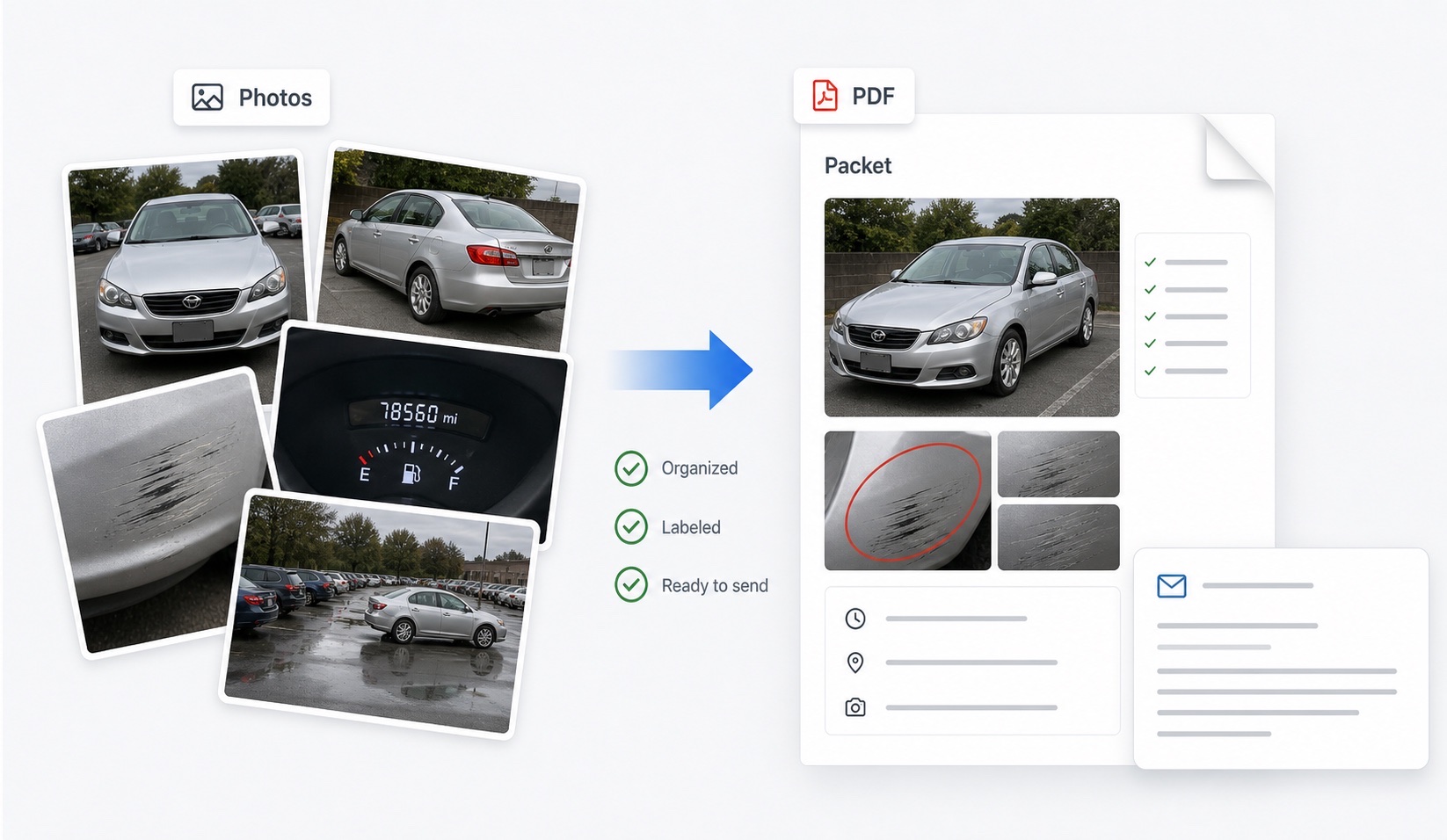
What does Turo require from a host claim?
A host claim succeeds when it proves three things inside Turo's process: the damage exists, it occurred during the specific trip claimed, and the cost is supported. The platform's requirements flow from that. The claim must be reported promptly — generally within 24 hours of the trip ending — through the app, with photos demonstrating the damage and documentation supporting the amount, such as a repair estimate or invoice. The evidence Turo weighs most heavily is the photo bracket: what the car looked like when the guest took it, and what it looked like when they returned it.
That framing should reorganize how you think about claims. The claim is not written when damage appears; it is written in advance, by the photo routine you run at every single handoff. Hosts with a consistent bracket win claims mechanically. Hosts reconstructing evidence after the fact negotiate.
Why does the 24-hour window dominate everything?
Because it compresses three jobs — discovery, documentation, and filing — into the day the trip ends. If the car comes back at 9 p.m. and you inspect it Saturday, the window may already be closed. And the window interacts brutally with back-to-back trips: once the next guest drives off, damage found later cannot cleanly be attributed to the previous trip, by you or by Turo.
The operational answer:
- Inspect at return, every time — not at cleaning, not before the next trip.
- Photograph the full sequence immediately, before the car is washed (washing can reveal or obscure marks; the pre-wash state is the return state).
- If damage appears, photograph it wide, medium, and close, and start the report the same day.
- Get the repair estimate moving in parallel — the report should not wait on it, but the file needs it.
- Hold the car from the next trip until the claim photos are complete.
What is the per-trip photo routine that protects hosts?
Fresh brackets, every trip — last month's photos prove nothing about what this guest received:
| Shot | Pre-trip | Post-trip |
|---|---|---|
| All panels + four corners | Yes | Same angles, same order |
| Wheels and tires | Yes — curb rash is the classic claim | Yes |
| Glass and roof | Yes | Yes |
| Interior, seats, cargo | Yes | Yes — smoking and stain claims live here |
| Odometer and fuel | Yes | Yes |
| Existing damage close-ups | Every known mark, with context shot | Re-shoot the same marks |
Use the app's photo prompts — platform-anchored images carry the most weight — and keep your own parallel set with originals archived per trip. Labeling each trip's bracket into a before/after packet (the assembly DamagePacket automates) means a claim file is minutes, not hours, from ready inside the 24-hour clock.
How do wear and tear rules shape what to claim?
Ordinary wear and tear is excluded, and the line matters more than most hosts appreciate. Light seat wear, small stone chips accumulating on a high-mileage front end, brake dust, faded trim — these read as fleet aging, not trip damage. A fresh dent, a new wheel gouge matching your pre-trip photo of a clean rim, a burn hole, a cracked windshield — these read as claimable, precisely because your bracket isolates them to one trip.
Claim discipline protects your credibility as an asset. A file that claims one well-documented dent gets processed; a file that adds four wear items to the dent invites scrutiny of everything, slows the payout, and teaches reviewers to read your future claims skeptically. Photograph everything, claim what the bracket supports, and let accumulated wear be what it is: a cost of running vehicles, priced into your rates rather than into claims.
What goes in the claim file itself?
Assemble before filing so the submission is complete on first pass: the trip details (guest, dates, times); your pre-trip photo set with capture dates; your post-trip set in the same panel order; wide-medium-close shots of each claimed damage area; the repair estimate or invoice, itemized to the claimed damage; and any platform messages with the guest touching on condition — a guest's “small scrape on the bumper, sorry” message is file gold. Write the claim narrative in the same neutral register you would want read back to you: what the pre-trip photo shows, what the post-trip photo shows, what is claimed, what it costs.
Then keep the archive. Decided claims get revisited, guests respond with their own evidence, and patterns across trips occasionally matter. A per-trip folder — bracket photos, packet, messages, outcomes — costs nothing to keep and settles arguments months later. Guests run the mirror-image playbook, incidentally; the guest dispute guide is worth a host's read for exactly that reason.
FAQ
How long do Turo hosts have to file a damage claim?
Turo's process generally requires hosts to report damage within 24 hours of the trip ending. Build your workflow around that clock: inspect and photograph the car immediately at every return, before cleaning it or sending it on another trip, so a claim can be filed the same day damage is found.
What photos does Turo expect from hosts?
Current pre-trip and post-trip photos that bracket the specific trip: all exterior panels, wheels, glass, interior, and odometer, plus close-ups of the claimed damage at trip end. Photos from previous trips generally cannot establish what this guest received, so the pre-trip set must be fresh each time.
Can I claim for wear and tear on my Turo car?
No — ordinary wear and tear is excluded from damage claims. Claims should be for specific, identifiable damage attributable to the trip. Padding a legitimate claim with wear items is the fastest way to get the whole file scrutinized or reduced.
What documents besides photos does a host claim need?
A repair estimate or invoice for the damage, the trip details, and any relevant messages with the guest through the platform. Turo's help pages list the current requirements; incomplete files are the most common self-inflicted reason claims stall.
Does DamagePacket replace Turo's claim process for hosts?
No. Claims are filed and decided inside Turo. DamagePacket helps with the evidence layer — organizing your pre- and post-trip photos into labeled before-and-after packets so each trip's condition record is ready if a claim is ever needed.