Car damage report generator.
Upload vehicle photos and generate a car damage report packet: labeled photo inventory, visible-condition observations by vehicle area, documentation requests, and a PDF you can attach to any dispute or claim.
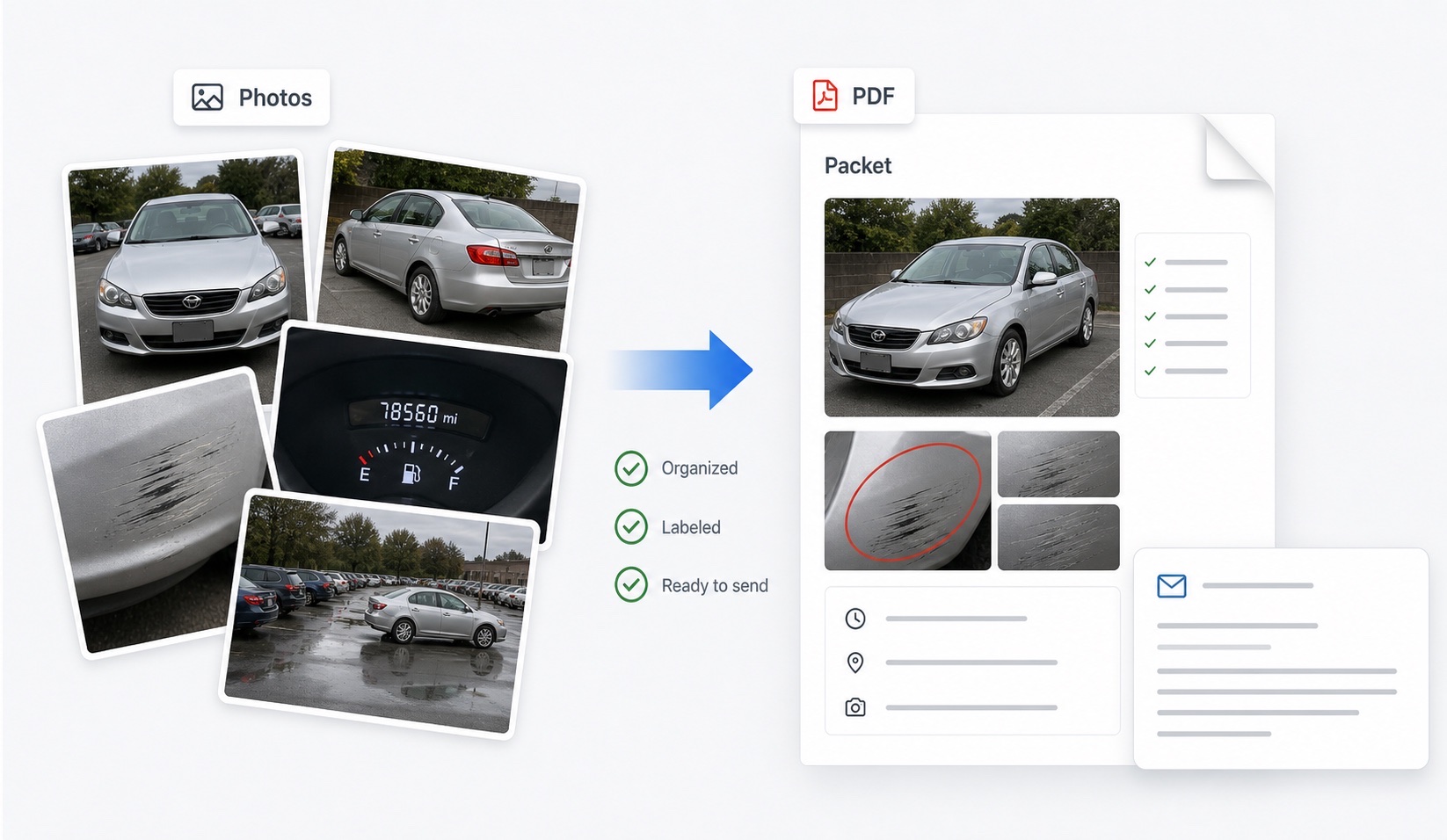
What is a car damage report generator?
A car damage report generator turns a folder of vehicle photos into a structured document a stranger can act on. You upload the photos — pickup and return shots from a rental, before-and-after sets from a valet or Turo handoff, post-incident photos for an insurance claim — and the generator produces a report: each photo inventoried with date and vehicle area, visible observations grouped by panel, before/after comparisons where both sides exist, notes on what the photos do not show, and a list of documents to request from the other party. The output exports as a PDF you can attach to a dispute email, a claims portal, or a benefit administrator's file.
The point is the difference between having evidence and presenting it. Camera rolls hold evidence; reviewers act on packets. Every claims process — rental, insurance, card benefit, marketplace — moves faster and decides better when the photo record arrives labeled, ordered, and honest about its gaps.
How does DamagePacket build the report?
The workflow is deliberately short:
- Upload your vehicle photos — before sets, after sets, or both, in common phone formats including HEIC.
- Review the AI-assisted analysis: photos are grouped by vehicle area, visible marks are described neutrally, and before/after pairs are matched where the angles allow.
- Adjust the labels and notes so the report says exactly what you can stand behind — including flagging pre-existing damage and evidence gaps.
- Export the PDF packet: photo inventory, observations, supporting notes, and documentation requests in a fixed, reviewer-friendly order.
You keep your original files untouched throughout — the report presents labeled copies, and the packet notes that unedited originals with metadata are available on request, which is the presentation standard disputes expect.
What situations is the report built for?
Any handoff or incident where vehicle condition is contested later:
| Situation | How the report is used |
|---|
| Rental car damage charge | Pickup/return comparison attached to a written dispute |
| Credit card rental benefit claim | Labeled photo evidence in the administrator's file |
| Turo or peer-to-peer trip | Trip-start/trip-end packet for host or guest claims |
| Valet or parking damage | Drop-off/return record with the incident report |
| Car wash damage | Same-day condition documentation with receipts |
| Insurance claim | Organized photo set for the adjuster |
| Fleet and transport handoffs | Repeatable condition records per handoff |
The guides library covers the dispute mechanics for each — start with the rental dispute evidence guide or the photo checklist.
What makes a damage report credible?
Four properties, all enforced by the report structure. Completeness: full-vehicle coverage, not just the disputed panel — undamaged areas are evidence too. Comparability: before and after photos of the same panel presented together, so review is mechanical rather than interpretive. Neutrality: observations written as what is visible (“rear bumper, driver corner, approx. 4 cm scuff”) rather than conclusions about fault. And honesty about gaps: a report that states “no roof photo was taken at pickup” reads as trustworthy in a way a silently incomplete one never does.
Those are the same properties adjusters, claims agents, and benefit administrators are trained to look for, which is why an organized packet routinely outperforms a larger but chaotic upload. The generator's job is making the credible structure the default — the evidence itself is always yours.
When should you generate the report?
As close to the handoff or incident as possible, for two reasons. First, coverage: gaps you notice while building the report — a panel never photographed, a blurry wheel shot — are fixable only while you still have access to the vehicle. Generating the report at the rental return lane or the valet stand turns it into a live checklist rather than a post-mortem. Second, deadlines: rental damage notices invite responses within days, credit card benefit programs often require notice within weeks, and Turo hosts work inside a 24-hour reporting window — a packet that already exists lets you answer inside every clock instead of assembling evidence against one.
The pattern that works for frequent renters, hosts, and fleets: photograph every handoff, generate the packet the same day, archive it, and hope never to open it. Most reports are cheap insurance; the occasional one is the whole dispute.
FAQ
What does the car damage report generator produce?
A structured report built from your uploaded photos: a labeled photo inventory, before-and-after comparison where both sets exist, visible-condition observations grouped by vehicle area, supporting notes including evidence gaps, documentation requests, and a PDF export you can attach to an email or claim.
Does this estimate repair costs?
No. DamagePacket documents visible condition from photos; it does not price repairs, assess fault, or decide coverage. Repair estimates come from body shops and adjusters — the report is the evidence layer those decisions get made on.
What photo formats can I upload?
Common phone formats including JPEG, PNG, and HEIC. Upload originals rather than screenshots where possible — originals carry the capture-date metadata that matters in disputes, and you keep the untouched files while the report presents labeled copies.
Can I use it with only after photos?
Yes. The report organizes whatever you have — after-only photos still become a labeled, area-grouped record with honest notes about what lacks a before comparison. Matched before-and-after sets remain the strongest evidence when you can get them.
Is the report legal or insurance advice?
No. DamagePacket organizes photo evidence into a readable packet. Decisions about liability, coverage, and payment belong to rental companies, insurers, card benefit administrators, and courts.
