
Turo Car Damage Dispute Photos: Before and After Packet
How Turo damage claims work for guests and hosts, why the 24-hour reporting window and trip photos decide most disputes, and how to organize a before-and-after packet that holds up in review.
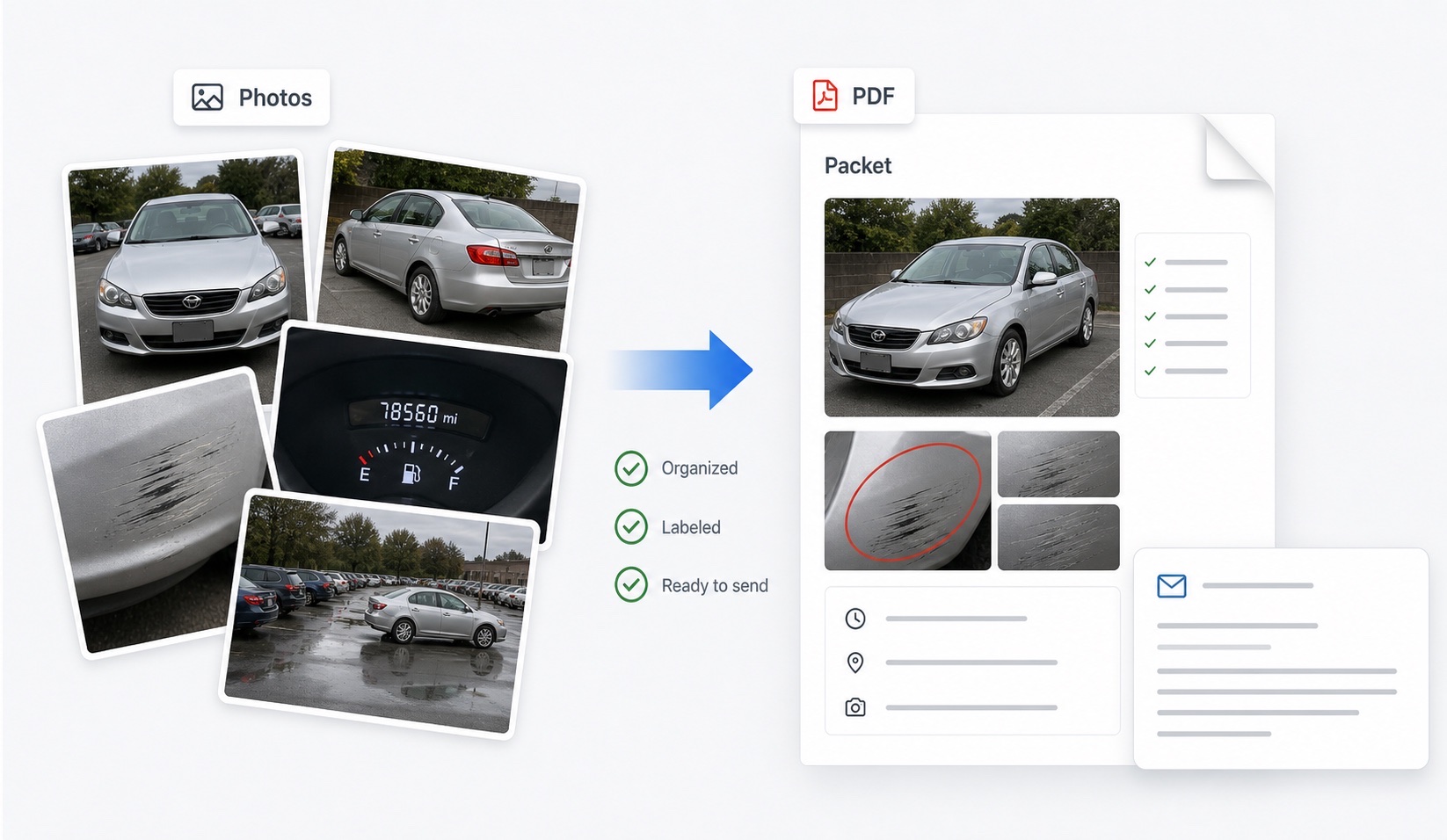
How does a Turo damage dispute actually work?
Turo is a peer-to-peer marketplace, so damage claims run through Turo's own claims process rather than a rental counter. When a host finds new damage after a trip, they report it through the app — Turo's published process expects this within 24 hours of the trip ending — and submit evidence: photos, an estimate, and trip details. Turo notifies the guest, who can respond with their own photos and account of the trip. Turo's claims team then compares trip-start and trip-end documentation and decides responsibility and cost under whichever protection plan applies.
Because both sides submit photo evidence to the same reviewer, Turo disputes are won and lost on documentation quality more than almost any other vehicle dispute. The party with matched, timestamped angles usually has the stronger file.
Which photos decide Turo claims?
Photos taken inside the Turo app at check-in and checkout are anchored to the trip record, which gives them special weight. Beyond those, a thorough set covers the same ground as any rental handoff:
| Photo | Trip start | Trip end |
|---|---|---|
| Front, rear, both sides | Yes | Yes, same angles |
| All four corners at 45° | Yes | Yes |
| Wheels and tires | Yes | Yes |
| Windshield and glass | Yes | Yes |
| Interior, seats, cargo area | Yes | Yes |
| Odometer and fuel level | Yes | Yes |
| Close-ups of existing damage | Yes, with context shot | Re-shoot the same marks |
The right column is not optional. A pristine trip-start set with no trip-end photos leaves the entire return condition undocumented — exactly the gap a claim exploits.
What should a guest do when accused of damage?
Respond inside the platform, quickly and factually:
- Read the claim carefully: which panel, what damage, what amount, and when the host says it was found.
- Pull your trip-start and trip-end photos of that exact area and check what they show.
- Note the report timing. If the claim came in well after the trip ended, or after the car was driven again, say so neutrally and let the timeline speak.
- Write a short response: what your photos show at each handoff, any pre-existing damage you documented, and what remains unclear.
- Attach or reference a labeled before-and-after packet so the reviewer is not scrolling raw uploads.
- Stay factual. Do not speculate about the host's motives; claims reviewers respond to evidence, not accusations.
There is a fuller guest-side walkthrough in the Turo guest dispute guide.
What should hosts document to make claims stick?
Hosts carry the reporting burden, and the deadlines are unforgiving: damage generally must be reported within 24 hours of the trip end, with photos that demonstrate the damage occurred during that specific trip. That means the pre-trip photo set has to be current — photos from three trips ago prove nothing about what this guest received. Re-shoot the full exterior, interior, odometer, and existing-damage close-ups at every handoff, and repeat the set immediately when the car comes back, before cleaning it or renting it again.
Hosts also need the paper side: repair estimates or invoices, and awareness that ordinary wear and tear is excluded from claims. The host evidence guide covers the full workflow. For both sides, the principle is identical: the claim is decided on what was documented, not on what anyone remembers.
How should I organize the packet before responding?
Before you reply inside the platform, assemble your evidence in a fixed order: vehicle and trip details first, then trip-start photos grouped by area, then trip-end photos in the same order, then close-ups of the disputed panel, then documents (claim notice, estimates, messages). Add one factual caption per photo — date, area, and what is visible. This is the structure DamagePacket generates automatically from uploaded photos, and it mirrors how claims reviewers actually read files: timeline first, comparison second, argument last.
Keep your written response short and reference the packet instead of narrating every image. Preserve original files with metadata, stay inside Turo's messaging and claims system so everything is on the record, and check Turo's current help pages for policy details, since reporting windows and plan terms can change.
FAQ
How do Turo damage disputes work?
After a trip, a host who finds damage reports it through Turo, generally within 24 hours of the trip ending. Turo's claims team then reviews evidence from both sides, primarily trip photos, and decides the outcome under the applicable protection plan. Guests are notified and can respond with their own photos and account.
What makes a Turo photo packet stronger?
Matched angles between trip start and trip end, close-ups of any pre-existing damage, clear timestamps, and a short factual note about what changed or did not change. Photos taken through the Turo app carry the most weight because they are tied to the trip record.
Does DamagePacket work for Turo disputes?
Yes, as an organizing tool. It arranges your trip-start and trip-end photos into a labeled before-and-after packet you can reference when responding to a claim. Turo makes the final decision, and its in-app photo requirements still apply.
What if the host reports damage days after my trip ended?
Turo's process expects hosts to report damage promptly, generally within 24 hours of the trip end. If a report arrives later, note the timing in your response and point to your trip-end photos showing the vehicle's condition when you returned it.
Should guests take photos even though hosts are required to?
Absolutely. Guest photos at both handoffs are your independent record. If the host's photos are incomplete or taken long after the trip, your matched trip-start and trip-end set may be the only evidence covering the actual handoff moments.