
Hertz AI Damage Scanner Dispute: How to Prepare Evidence
How the Hertz UVeye AI scanner flags rental damage, why the automated charges are controversial, and how to organize your own pickup and return photos to dispute a scanner-generated bill.
What is the Hertz AI damage scanner and how does it work?
Hertz has partnered with UVeye, an Israeli company that builds automated vehicle-inspection systems, and began deploying camera arches at U.S. airport locations in 2025, starting with Atlanta and expanding to additional airports with plans for a wider rollout. The car drives through the arch at pickup and again at return. High-resolution cameras image the body, glass, wheels, and undercarriage, and software compares the before and after image sets to flag apparent new damage.
What makes the system different from a human walkaround is speed and automation: renters have reported receiving damage notices within minutes of returning the car, generated without an employee inspecting the vehicle first. Hertz has said only a small percentage of scanned vehicles are billed, but the automated flow means your dispute usually starts after a charge already exists.
Why are AI scanner damage charges controversial?
News coverage through 2025 documented renters billed for small dents and scuffs, with itemized fees added on top of the repair amount — charges labeled as fees for detecting or estimating the damage and for processing the claim. In widely reported examples, those add-on fees exceeded the repair cost itself. Customers also described difficulty reaching a human being to review the charge, since initial communication ran through app notifications and chatbots. The complaints drew scrutiny from members of Congress, who sent inquiries to Hertz about accuracy, fee structure, and the dispute process.
None of that means every scanner charge is wrong. Arch cameras genuinely catch damage humans miss. But it does mean an automated flag is the start of a review, not the end of one — and you are entitled to see the evidence behind it.
What should I do first if the scanner flags damage?
Move quickly and keep everything in writing where possible:
- Save the notification, the claimed damage description, any images Hertz provides, and the itemized charge. Screenshot app messages before they scroll away.
- Do not accept any quick-settlement discount offer before you have seen the evidence, unless you know the damage is yours — paying typically closes the matter.
- Locate your own pickup and return photos of the flagged panel and check whether the mark appears in either set.
- Reply through Hertz customer care (chat, email, or phone) stating that you dispute the charge and are requesting the underlying evidence.
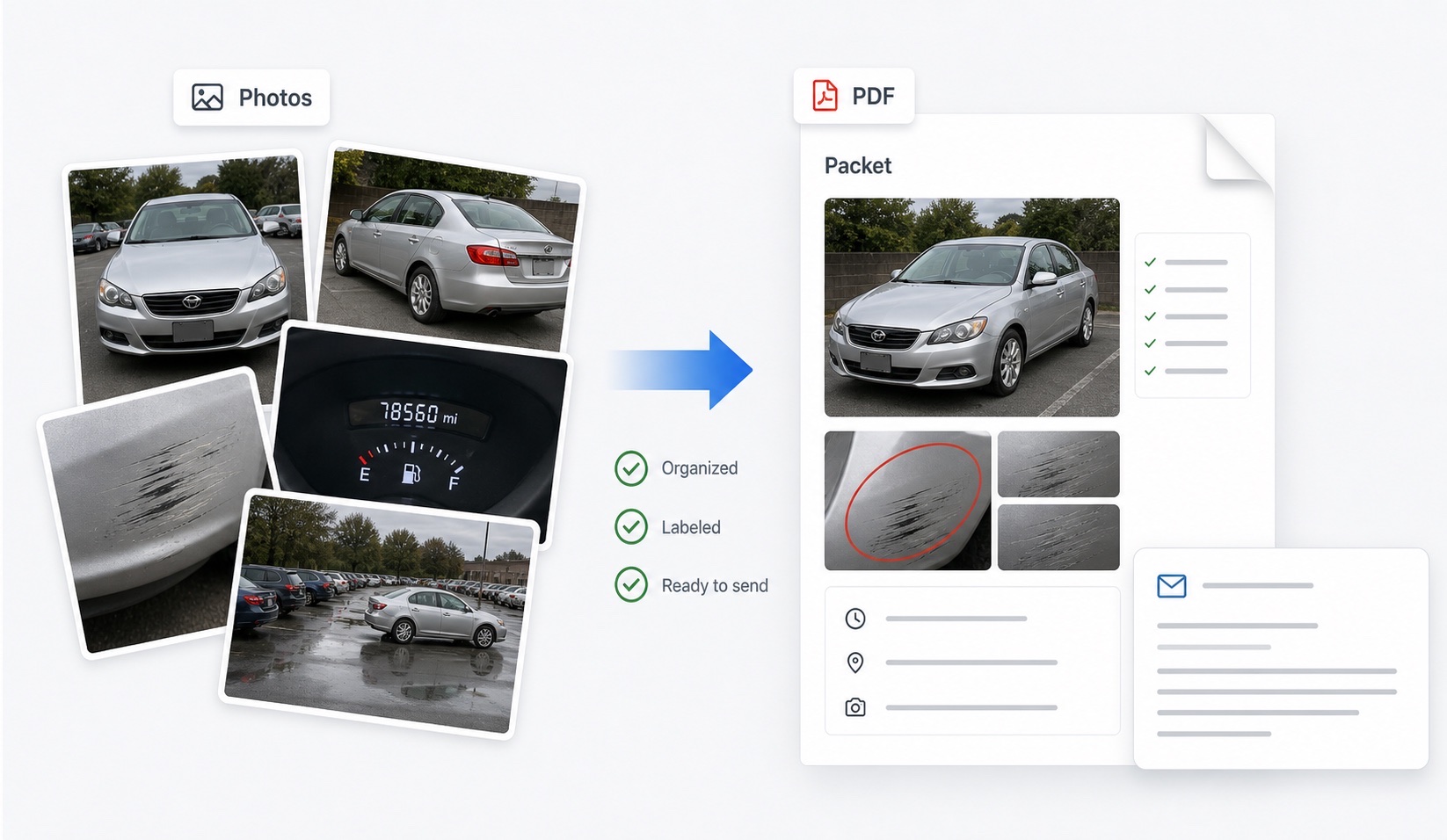
- Organize your photos into a labeled before-and-after packet — this is the exact scenario DamagePacket was built for — and attach it to your written response.
- Keep a dated log of every contact and response.
What evidence should I request from Hertz?
Your strongest move is to test the scanner's conclusion against its own inputs. Request each of these in writing:
| Item to request | Why it matters |
|---|---|
| Pickup scan images of the flagged panel | Shows whether the mark existed before your rental |
| Return scan images with timestamps | Confirms what the system actually saw and when |
| Itemized charge breakdown | Separates repair cost from detection, processing, and admin fees |
| Repair invoice or estimate | Verifies the vehicle was or will be repaired for the stated amount |
| Human review confirmation | Asks whether an employee verified the automated flag |
| Rental history of the vehicle | Relevant if the notice arrived after a delay or later rental |
If pickup scan images are unavailable or do not clearly show the panel, say so in your dispute: a comparison system with no usable “before” image has weak grounds for a charge.
Can my own photos outweigh the scanner?
They can carry real weight, because the dispute usually is not about whether a mark exists — it is about when it appeared. A timestamped pickup photo showing the same scuff already present ends the argument. A timestamped return photo showing the panel clean puts the burden back on Hertz to explain the discrepancy. This is why the full pickup and return photo routine matters most at scanner-equipped locations: shoot every panel, wheels, glass, and roof at both handoffs, and keep originals with metadata intact.
Present the comparison cleanly: for each flagged area, show your pickup photo, your return photo, and one factual sentence about what each shows. Note honestly anything your photos do not cover. A reviewer — human or otherwise — can act on a clear side-by-side far more easily than on a folder of unlabeled images.
What if Hertz will not remove the charge?
If your written dispute with evidence is rejected or ignored, escalate in stages. Ask for the dispute to be reviewed by a supervisor or the claims department rather than frontline support, and restate your evidence list. If you declined Hertz's waiver and paid with a credit card that includes rental collision coverage, open a claim with the card's benefit administrator — see the card coverage filing guide — since benefit programs often have notice deadlines measured in weeks. If you purchased coverage or have applicable auto insurance, notify that carrier promptly too.
Beyond that, consumers have used state attorney general complaints, consumer-advocacy organizations, and small claims court as further steps. Be cautious about a unilateral chargeback as a first resort: it may end the card charge but not the underlying claim, and rental companies can pursue collections or bar future rentals.
FAQ
What is the Hertz AI damage scanner?
Hertz uses camera arches built by UVeye that capture high-resolution images of a vehicle as it drives through at pickup and return. Software compares the two image sets, flags apparent new damage, and can generate a damage charge automatically, sometimes within minutes of the return.
Can I dispute an AI scanner damage charge?
Yes. You can respond through Hertz customer care channels, ask for the scanner images from both pickup and return, request an itemized breakdown of the charge, and submit your own pickup and return photos for human review.
Why do scanner charges often exceed the repair cost?
Reported scanner bills have itemized separate fees on top of the repair amount, such as fees for detecting or estimating the damage and for processing the claim. Ask for an itemized breakdown and question each line, not just the repair figure.
Should I mention the scanner in my dispute email?
Yes, briefly and factually. State that the charge originated from an automated scan, request the pickup and return scan images with timestamps, and ask for human review of the comparison alongside your own photos.
Do my own phone photos matter if Hertz has scanner images?
Yes. Your photos are independent evidence of condition, can cover areas and moments the arch does not, and let you check the scanner's claim rather than take it on faith. Matched pickup and return angles remain the strongest consumer evidence.